Towards the end of 2018, WordPress 5.0, also known as the Gutenberg update was released. The notable thing about WordPress 5.0 is the introduction of “blocks”. Blocks have replaced the old WordPress text and visual editor.
Should You Update to Gutenberg?
Some WooCommerce store owners might be hesitant to update to Gutenberg. Gutenberg is a big change from the classic editor so being hesitant to move to Gutenberg is understandable. If you don’t really want to use Gutenberg, you can install the classic editor for WordPress. It is however imperative to update your site to the most recent WordPress version for security reasons. Sticking to an old version of WordPress will leave your site vulnerable to security threats. New versions of plugins and themes might also cause issues on older versions of WordPress.
Since WordPress 5.0 is a major update, we recommend testing your updates on a development site first. If you need help updating to WordPress 5.0, you can contact us and we can help you out.
Will Updating to Gutenberg Affect Your Old Posts and Pages?
Updating to Gutenberg will not affect your old posts and pages. Any new content you create will make use of blocks. Still, any old content that does not use Gutenberg blocks will be housed in a classic editor block.
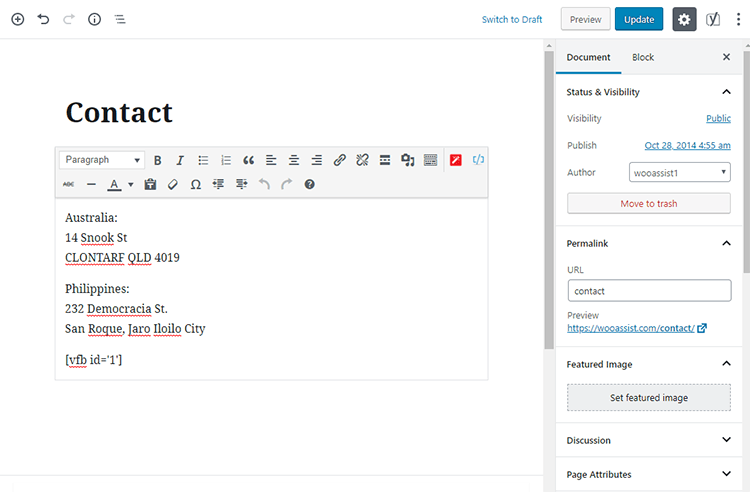
How to Convert Old Posts and Pages into Blocks?
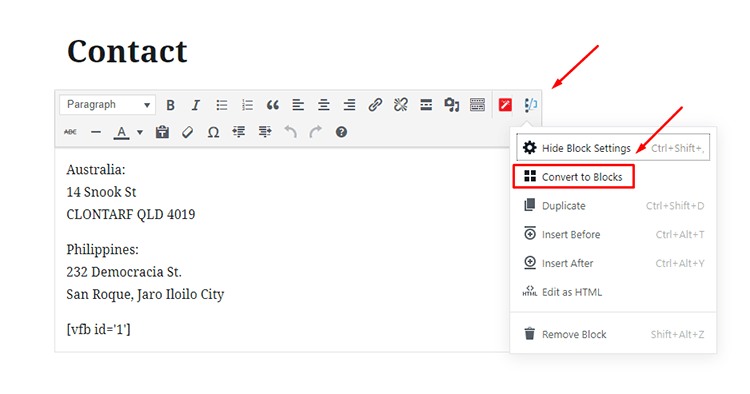
Converting your old posts and pages into Gutenberg blocks can be done in a few clicks. Click on Edit on the post or page that you want to convert. On the classic editor block, look at the upper right section. Here you will find an icon with three dots. Click that icon and click Convert to Blocks.
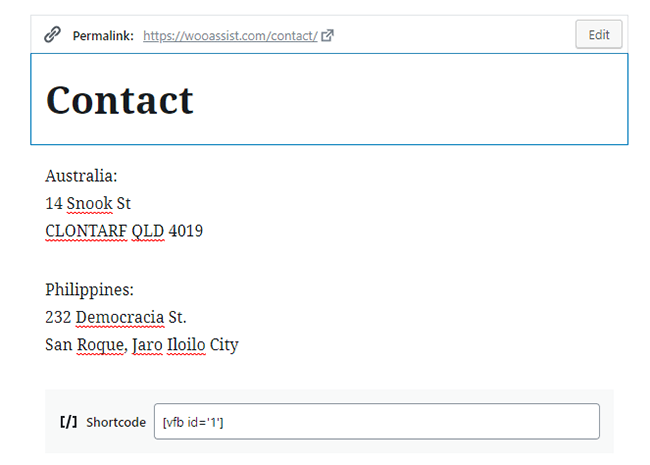
After that, you should see your post/page converted into Gutenberg blocks.
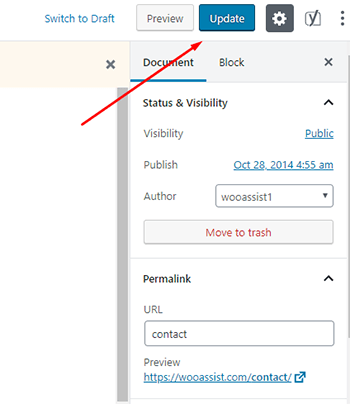
From here, click on Update to save your changes.
Repeat this process for each post or page that you want to convert into blocks.
After converting, be sure to check the actual page or post to make sure that there are no layout issues. If you are using shortcodes, check that the shortcodes are working as well.
If you have any questions about converting old posts into Gutenberg blocks, let us know in the comments.


