After installing WooCommerce you have to make sure that it will run based on your geographic specifications. You will need to set store location and currency in WooCommerce. Changing these settings is really quite simple. You can do this if you head over to your WordPress dashboard and navigate to WooCommerce settings under the general tab.
Setting Your Location
To set your location, head over to WooCommerce settings under the General Tab. Here you can set your store’s location.
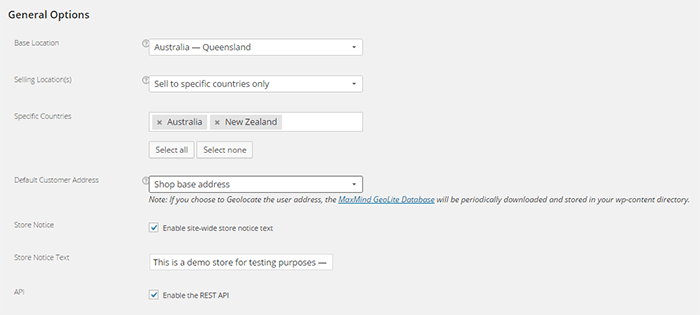
Here’s what you should see:
Base Location
Under Base Location, you should state your base country and/or state. This setting also affects tax rates and customer locations.
Selling Location
Under Selling Locations is where you state where you sell your products. You can choose just one location or a few countries/states. If you ship your products globally you should specify “Sell to All Countries”. If you are only selling to specific location, choose “Sell to specific countries only” and a new field will come up which will let you add specific locations.
Default Customer Address
Under Default Customer Address, you can choose what the system will identify as the client’s location before he/she enters her location. Choosing “Shop base address” assumes that the client is located where your store is located. Choosing “No address” assumes no location. Choosing “Geolocate address” will verify the client’s location through Maxmind Geolite Database.
Setting Your Currency
Below the location setting, you can see your WooCommerce store’s currency options.
Currency
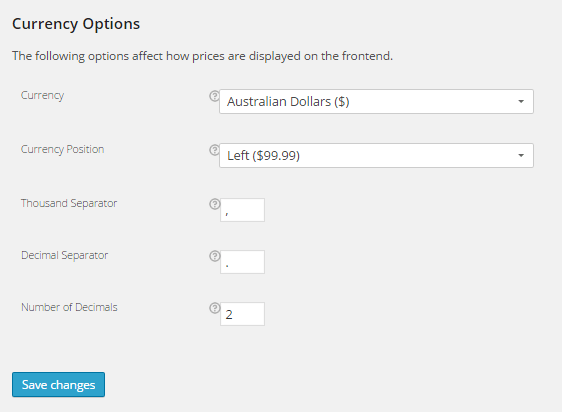
Under Currency, you can set your store’s default currency. You can only set one currency here.
Currency Position
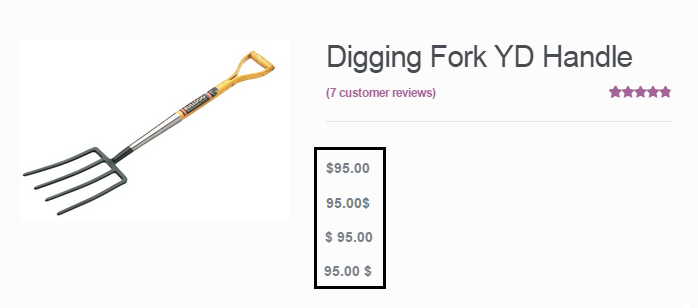
Currency position lets you set the default position for you currency symbol. You can set it to the left, right, left with space, or right with space. Below you’ll see a comparison of the different options for this setting.
Thousand Separator and Decimal Separator
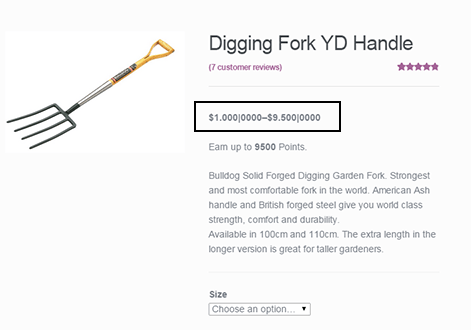
These settings let you set what symbol to use as the thousand and decimal separator for the prices displayed on your store. The image below show what the price would look like if you edit these.
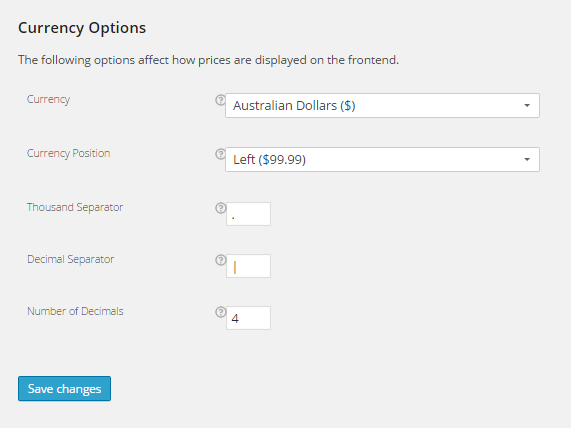
Number of Decimals
This setting sets the number of decimal places shown on your prices. In most cases, 2 decimal places will do but if you should need more, you can always add more.
Now that you’ve set your store’s location and currency, you can soon start selling to the market that you are targeting.



 What is a 404 Error?
 A redirect is a means of pointing a URL to another URL. There are many types of redirects but you only need to know two of them. A 301 redirect is a permanent redirect whereas as a 302 redirect is a temporary redirect. A 302 redirect is generally not recommended unless you are an SEO expert and you know what you are doing because different search engines process 302 redirects differently. To know more about the different types of redirects, you can check this