Wooassist

Assistance for Your Woocommerce Store

  • How it Works
  • Pricing
  • Services
    • Site Maintenance
    • AI SEO and Content Marketing
  • Blog
    • How-To Articles
    • Code Snippets
    • SEO For E-Commerce
    • Theme and Plugin Reviews
    • Wooassist News
    • WordPress/WooCommerce News
    • Interviews
  • About Us
  • Contact
You are here: Home / Archives for Wooassist

James Grasty Tells The Bro Basket Story – The Wooassist Interview Series

April 25, 2019 By John Leave a Comment

This time around, we interview James Grasty from TheBroBrasket. He shares with us his insights on ecommerce as well as the story behind the success of the company that he started with his peers. He has actually started numerous other businesses until he finally found success in his first ecommerce venture. With that, let’s get started.

How did the TheBroBasket website start? What inspired the idea of gifts for men?

It’s actually a pretty cool story. Our MBA Entrepreneurship class at CSU Channel Islands was creating a business from scratch as our class project and the basic idea started as “If women get flowers, then what should men get? A bucket of beer!” which in 2013 was not really a thing you could send. A few of us liked the idea so much we turned it into a real business after the class ended in 2014 launching out website in December of that year. We started out with just a few gifts at higher price points, and a bucket of beer of course, but over time with customer feedback we added a bunch different gifts and made our old ones better. Now here we are almost 5 years later humming along, its been an interesting journey.

James Grasty from TheBroBasket


What are some of the major challenges for TheBroBasket?

Shipping gift baskets full of glassware, glass bottles, food, and accessories AND having it arrive in one piece looking good has been very challenging. It has taken us a lot of time and effort to get it right and things still break on occasion but from where we started we are light years ahead.

James Grasty (middle) with his colleagues Kenneth Connel (right) and Mike Mazza (left).

What has been the biggest challenge for the company?

Getting initial funding from venture, angel, or any kind of investment was a pretty big flop. We had to pile our own money together with some friends and family and launch the business. Honestly, we would have not made it out of our first year without our friend and fellow former classmate investing $10k. That helped us get us through ’til we received our SBA loan. Once we had the funding from that we were off to the races and were really able to start properly growing the business.

What are your tips on how to make a business startup a successful one?

We, as my above example shows you, either be well funded or run a tight ship and really boot strap till you have proof of concept and get off the ground, or both! As someone that started over half a dozen businesses, I would say there are a number of things that I have learned from my successes and my failures.

  • Get proof of concept and figure out if there is actually a market for the product(s) you are trying to sell before you go all in.
  • Have management level experience in the business you are trying to start – I have gone as far as getting a job with a competitor to try and see how they operated.
  • Properly plan, like really get in the nitty-gritty – I can’t tell you how many business I have failed at and seen other crash just because they, and I, didn’t do the proper planning and market research before launching the business
  • Be willing to pivot – we launched the business as a gift basket delivery service, we quickly realized that was not a viable idea and pivoted to a full eCommerce company.
  • Be consistent & persistent – pressure over time will always yield you results.
  • With that being said, know when to fold your hand – I have seen too many people waste countless years and money on businesses and products that suck, just kill it and move on!

How do you think eCommerce has changed over the past 10 years?

Well, I have only been in the game for 5 years, but I did try to start an ecommerce company way back in 2002. I realized I didn’t know enough coding to launch on 3dCart and had to move on. So I would say that the ease with which one can launch an ecommerce business has been one of the biggest changes. You don’t have to know the first thing about coding/programming, and hell you don’t even need that much money. The biggest downside to all that is its so easy now you get a lot of wannabees that think its easy to become some ecommerce stud, and yeah its easy to launch a business online but its still hard as ever to make that business succeed.

What do you think is the future of ecommerce?

I feel like it will continue to get easier and easier to own and operate a business in the ecom world, which is great for society as a whole, but means more competition for us that are already here and more expensive advertising. Amazon will continue to get bigger and Google will do the same, so hedging your bets and diversifying marketing channels and income streams is always a good idea.

How did you get started with WooCommerce?

Funny story; we paid way too much money to a local “website development” company that gave us a terrible website that I could probably make in a day these days, and it happened to be on WooCommerce. Thinking back, we should have been on a hosted solution like Shopify or BigCommerce, but it was what it was. It worked out for the best when we redeveloped the entire site and relaunched it less than 6 months later. We utilize a ton of customization and have customizable products and we would struggle to have these unique product offerings on a hosted solution.

What advice can you offer for aspiring ecommerce entrepreneurs?

Come up with or find a really cool and or unique idea and build a product/brand or service around that. We are looking at acquiring another ecommerce company and I really get annoyed when I find these companies that are just practicing retail arbitrage and/or selling cheap crap from China. Amazon and others are just going to get bigger and they will eat those people’s lunch sooner than later! So your best bet is to have a unique private labeled product and a solid brand that you can stand behind, that will help you become successful and stand the test of time.

Filed Under: Interviews Tagged With: business development, Wooassist, WooCommerce

How to Check if a Theme is Suitable for WooCommerce

April 15, 2016 By John 1 Comment

How to Check if a Theme is Suitable for WooCommerceSome website owners might think that a good theme just needs to look good. Well, that’s not wrong but it’s also not entirely correct. You need to know how to check if a theme is a good theme for your WooCommerce store. Here’s a checklist to help you decide if a WordPress theme is good for your WooCommerce Store.

Theme Ratings and Reviews

Product ratings and reviews are solid indicators of quality. These reviews come from WordPress users who have actually used the theme themselves. Note that even good themes can get a few bad reviews so take them with a grain of salt. However, if the number of bad reviews is unusually high, then it is something to be wary of.

Update Frequency and Support

computer-thinking-manUpdate frequency is a good sign of a solid WordPress theme. It shows that the developers are continuously making it better by addressing bugs and other security threats. Similarly, check if the developer is active in public forums. This is a good sign that you will get answers if you are ever met a problem.


Demo Site

Having a demo site is not optional anymore. The demo site is not just where you see how the theme looks like. It is a place where you can perform some crucial tests on it. If your theme doesn’t have a demo site, it could just be outdated or at worst it’s hiding malicious stuff.

Responsiveness

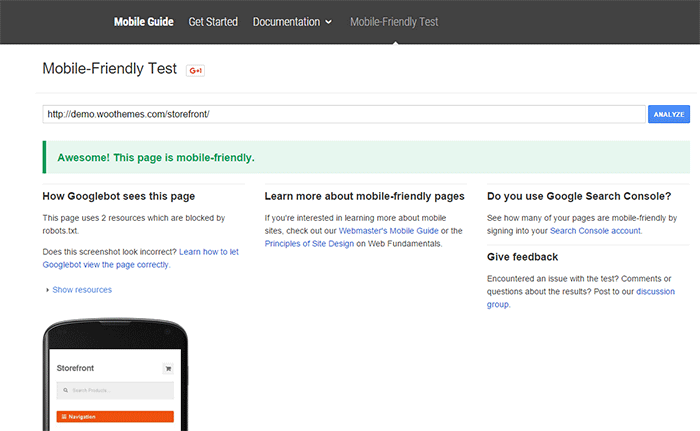
Make sure your theme is responsive. That means it adjusts to fit different screen sizes of mobile devices. More and more traffic is now being generated from mobile devices so a theme that looks good on a mobile device will help make your WooCommerce site more competitive. In fact Google favors websites that work well across all devices. The easiest way to check for mobile responsiveness is Google’s mobile friendly test. Grab the URL of the demo site of your theme and paste it in there to check if the theme is mobile friendly.

Google-mobile-friendly-test

Site Speed and Theme Bloat

You have only a few seconds to capture the attention of your e-commerce site’s visitors. Having a slow site doesn’t help. Even if your site looks good, none of that will matter if it is slow. Google hates slow websites and these slow websites are being penalized in rankings.

Themes become slow when they are loaded with unnecessary features. Be careful when the theme offers a lot of functionality that normally shouldn’t be in a theme like the ability to create sliders or change fonts, colors, and other add-ons like shortcodes, additional widgets, and content builders. The add-ons will make it hard for you to switch themes in the future. You may think you are getting good value for your money but its effects on site speed will only hurt your WooCommerce site and your SEO rankings.

Do note that other factors also affect site speed. You can read more about it in this blog post.
browsers

Cross Browser Compatibility

Your users will be using different browsers. You may not see any errors on your side but there might be something broken when someone else uses a different browser to view your site. Make sure your website looks the same across different browsers.

SEO-Friendly Markup

HTML isn’t so strict on errors so it will render your content as long as it isn’t something fatal. But when it comes to SEO the HTML markup is crucial. Proper HTML markup will help boost your SEO. You can easily check if your theme HTML code is valid using Markup Validation Service by W3C. Pop the theme demo site’s URL to check for errors in the HTML markup.

Plugin Readiness

A good well-coded theme is lightweight and can support a wide range of popular plugins. For your e-commerce site, you need to make sure that your theme supports WooCommerce. You will often see this in the list of theme features. During development, make sure not to bloat your site with unnecessary plugins. Install only plugins that you need and will actually use.

Page Templates

Another good indication of a good quality theme is the availability of page templates. These templates are fetched when a certain query is performed. Make sure your theme has it all.

  • home.php: the homepage template
  • single.php: the template for single posts
  • page.php: the template for pages
  • category.php: the template for category indexes
  • author.php: the template used when someone queries on the author
  • date.php: the template used when someone searches for posts on a certain date
  • archive.php: this template is used when either category.php, author.php ordate.php isn’t there
  • search.php: used when someone searches on your blog
  • 404.php: the template used when WordPress can’t find the URL on your site

Design

design-cursor-iconSimplicity is the epitome of great design. Select a proper theme that matches the nature of your e-commerce store and will appeal to your target market. If you are planning for a content rich website, go for a more formal look with good typography for enhanced readability. If you are selling products for kids, you can be more playful with the design. Spend some time researching for a theme that addresses your needs. Consider the aspects mentioned above and decide if this is the theme for you.
Theme Developers

Here’s a bonus. A good indication of a quality theme is the reputation of the developers who made the theme. Perform a background check on the people behind the theme. Are they helpful in the WordPress community? Do they have a good reputation? Do they respond in forums regarding questions on their creations? If you answered yes to all of these, then you’re dealing with a good developer/s and odds are their themes are great.

Our Recommended Themes

Storefront

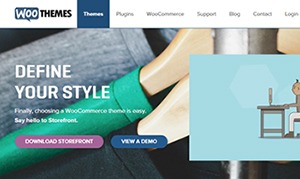
storefront_define-your-styleStorefront is an intuitive, lightweight, and flexible theme offering deep integration with WooCommerce. The main goal in developing Storefront is to provide a rock-solid foundation for your WooCommerce store, avoiding extra bloat and unnecessary features. It is built by the same people behind WooCommerce so the standards are as high as WooCommerce itself. To learn more about Storefront, you can check out our review.

Genesis Themes

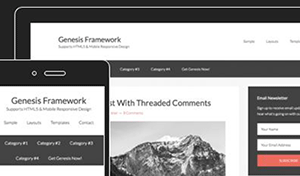
Genesis-FrameworkThe Genesis framework is known for its core code and is considered one of if not the best WordPress framework available. It is very flexible because of how well the core code is built. Anything can be customized around the core code using child themes. It is SEO optimized and compatible with WooCommerce.

Was this post helpful in choosing a theme for your WooCommerce store? Do you have any other tips that you’d like to share? Let us know in the comments.

Filed Under: How-To Articles, Theme and Plugin Reviews Tagged With: design tweaks, how-to, responsive design, site speed optimization, Storefront, Wooassist, WooCommerce

Work “ON” Your Business Rather Than “IN” Your Business to Save Time and Increase Revenue for Your E-Commerce Store

May 16, 2016 By John Leave a Comment

work on your business rather than in your businessAs a business owner, you may struggle with having to wear so many different hats and working many hours.

An online business brings with it even more challenges, as you need to develop, secure and maintain your website. These are time-consuming and counter-productive if you do them yourself.

In this article, I’ll show you what steps you can take to effectively work on your business and what are the benefits of outsourcing your tasks.

What Does It Mean to Work “ON” Your Business Rather Than “IN” Your Business?

This popular entrepreneurial mindset has two points: you want a profitable business that produces consistent results, and you won’t need to do the day-to-day activities yourself. Basically, working “in” your business means doing those routine activities that keep the business going every day. On the other hand, working “on” your business means you prioritize developing your business and building customer relationships. Working on your business also means creating a systems-dependent business and delegating work.

Create Business Results that are Systems-Dependent, Not People-Dependent

process-diagramThe system you create becomes the tool everyone uses to get the job done in a way it needs to get done. Working on your business means you need to test and develop these systems to make sure they produce your desired result. When you have an efficient system in place, you’re mostly assured of the quality of work, and that business continues even if the people come and go. Training new staff becomes that much easier.

You may need to personally create these systems on your own. It is important that you document it. For Wooassist, we use DokuWiki to document our processes. You can find your own platform that you are comfortable with. Once the system is in place, it’ll be easier to delegate the task to someone else.

Delegate Work

It’s important that you build a team that you trust. These people will do the day-to-day activities of your business, following the systems you’ve approved or set. Delegation will only be effective if you trust the team to do the job for you. Because you trust these people, you can focus more on being the business owner and developing strategies to sustain and even grow your business.

Outsource Technical Tasks to Save Your Time

networkEven if you love working in your business, chances are there isn’t enough time to get everything done on your own. This is especially true as your business continues to grow. Hire reliable, technology-savvy staff and those with technical skills that match your needs. Doing so will help you better manage your time so you can focus on managing and growing your business.

You Can Be Assured that Experts Will Do a Good Job

You don’t necessarily need to be The Expert on each role in your company. You may only do a mediocre job at a technical task but a skilled professional can save you time by doing a great job on a role where he’s already an expert. You won’t need to spend too much time learning nor trying to do the job yourself. That’s the developer’s job. For an e-commerce store owner in need of a web developer, outsourcing is the way to go if hiring full time isn’t ideal.

You Have More Time for Leisure/Travel

Nanette Miller, founder of The Training Doctor LLC, outsources 40 hours of work weekly for non-revenue-generating tasks. This includes administrative work, website maintenance and social media posts. Outsourcing allowed her to focus on growing her business and keep a manageable work schedule that allows her to have a personal life. She gets to take about 12 weeks of well-deserved vacation per year. Just imagine the places you can visit with that much free time.

You Have More Time to Spend with Family and Friends

When you outsource, you free yourself of the daily worries of running your business. You have a better hold of your work schedule and productivity. After work, you have time to relax and be with your family. You can even go out and spend time with your friends.

WooCommerce Happiness Engineer Dustin Hartzler strictly adheres to his work schedule and wraps up work by 4:30pm. The rest of the evening is spent with his family and on non-computer activities.

Work on Things that Require Your Skills as a Business Owner

puzzle-business-componentsWith routine and technical tasks delegated to staff, you can devote more time in managing and developing your business. This means you can focus on exploring ways to innovate on what your business needs to grow. For an online business, here are some functions a business owner can prioritize:

Planning and Strategy

You should have more time to revisit your business roadmap and make changes as needed. Conduct market research to identify current trends that could help you sell your products. Check your competition and find ways to attract more customers. Devote time on continuous learning. You get to leverage on other people’s expertise, but the decision is still yours to make.

Marketing and Sales

You may feel comfortable handling your own SEO and advertising. This is because you’ve conducted market research and you know who your target customers are. When you have clearly defined your customer personas and know how to use them, you’re well on your way to maximizing your marketing efforts. You can also allot time to learn more online marketing strategies and apply them to your business.

Customer Experience

You build customer relationships. You make sure their needs are met, particularly as they navigate through your website. You may also opt to personally address customer queries. You may need help on this though, depending on your business’ size and nature.

Conclusion

stop-wasting-your-time_300x248While it’s understandable to be very busy at work, especially in the early stages of your business, you also need to know when and how to effectively delegate. Prioritize your core functions as a business owner and focus on growing your business. Set up systems and tools to maintain consistent, quality results for routine activities. Outsource technical and other non-income-generating functions. These actions will help you better achieve a work-life balance. Spend more time with your family and friends and go on much-needed vacations.

Was this post helpful? Do you have anything you’d like to add or share? Let us know in the comments.

Filed Under: How-To Articles Tagged With: admin, best practices, how-to, marketing strategy, outsourcing, website maintenance, Wooassist

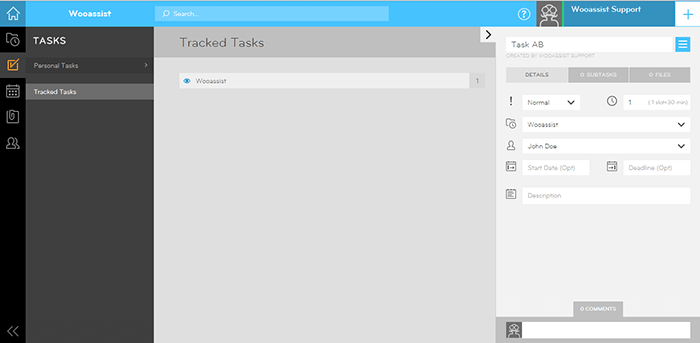
The Ultimate Project Management System Review

June 24, 2016 By John 2 Comments

Project Management System Review

To improve our systems approach to doing business, the Wooassist team needed a project management (PM) system that works for us. So we reviewed the PM systems available online. Our goal was not to determine the best PM tool but to identify which PM tool works best for our purpose. What works for us, may not necessarily work for a different organization so we recommend reading into the reviews beyond the scores.

This was originally an internal document but we decided to share it with our readers to help other organizations choose a PM system that works for them.

Outlining Your Needs

There is a good deal of project management systems out there and it’s easy to get lost with all the choices or get stuck with the most popular brands. We will first need to outline our specific needs to narrow down all the choices. For this review, we have used the following criteria to judge these PM systems according to our needs.

  • Easy collaboration
  • Task management
  • Kanban board functionality/Graphical system
  • Employee timesheets/Timekeeping functionality
  • Pricing

PM systems that did not score high with our criteria were not necessarily terrible. They simply did not allow our organization to function as effectively and efficiently as possible.

Notable Exclusions / Honorable Mentions

Below are some good PM systems that just did not cater to all our needs:

  • Asana
  • Basecamp
  • Trello
  • Wrike
  • LiquidPlanner
  • Producteev

The Chosen Eleven

Even after narrowing down the field, we still came up with 11 contenders. We tested out the free trials for each of these tools and have come up with a concise review for each.

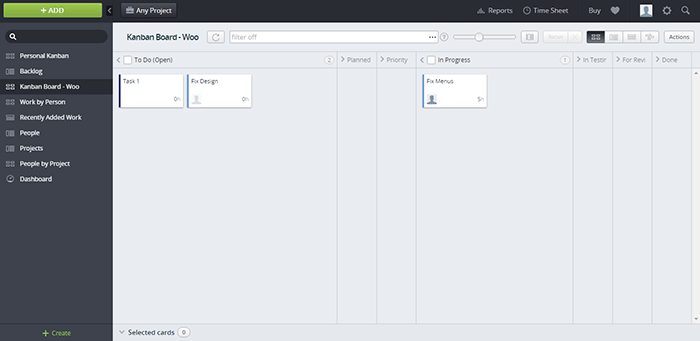
1.  Teamwork

Teamwork

  • Collaboration: 11/15
  • Organization: 11/15
  • Features: 12/15
  • Pricing: 1/5
  • Preference Bonus: 46/50
  • Rating: 81/100

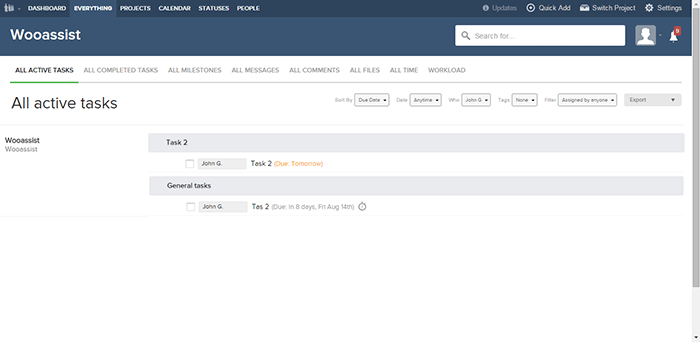
Our first impression was that the main interface was very clean and modern. Teamwork is one of the more well-known project management systems and the standard holds up. While the main interface is clean, under the hood it is packed with a lot of useful features.

If you’re used to another PM system, there will be an initial learning curve as you get used to the functionalities of Teamwork. Employee timekeeping is synced globally so it is a dependable feature as managers can easily view the daily work history of all employees. It also has an “Everything” page where all features are aggregated together so it is easy to track everything.

However, there were also a lot of functionalities that we simply did not need and they just increased the complexity. While the main interface is clean, it is not graphical which would have been user-friendly. There was also no simple prioritization feature for tasks irrespective of the project.

Our conclusion is that Teamwork with a clean interface and a myriad of features is a very good Project Management system. It is more suitable for organizations with higher-value projects and would be a top choice as an initial PM system.  It just did not fit our own requirements as we are an organization with small-value projects. Also, the additional features we did not need simply make it more complicated to use.

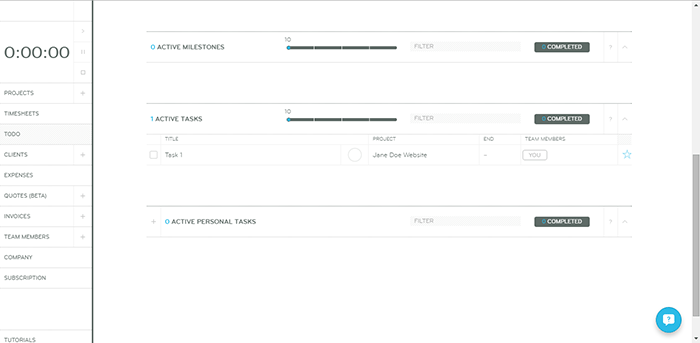
2. Orangescrum

Orangescrum

  • Collaboration: 6/15
  • Organization: 11/15
  • Features: 11/15
  • Pricing: 4/5
  • Preference Bonus: 46/50
  • Rating: 78/100

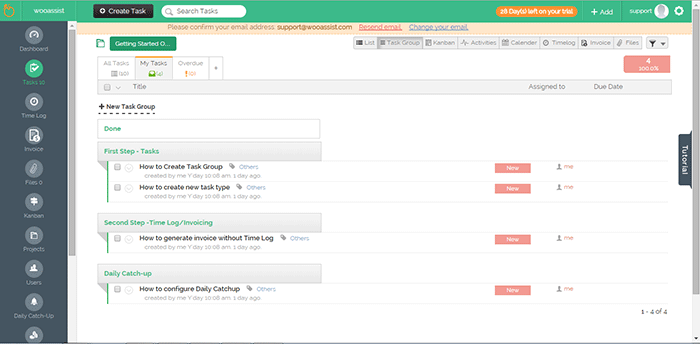
The aspect that first caught our attention was the sketchpad/draft-board design. In viewing tasks in Orangescrum, there are a lot of choices such as “list”, by “task group” and even Kanban.

The Kanban feature was a good inclusion but it seems that it had none of the common features in other Kanbans such as drag-and-drop functionality and customization of the columns. Only 3 columns can be displayed for the Kanban board.

It might be confusing switching between tasks as a task page takes up a whole page but at the same time, this could prove to be more productive as well.  A lot of details can be added to each task and that could be a good thing depending on the organization’s needs.

One problem though is that some of the different elements are separate from each other. The time logs for example. It will be difficult for people that need to work on different projects in a day. Each project is a separate entity and there is no way to aggregate tasks on all projects.

There are no notifications on the interface itself so this limits collaboration. Users also can’t be tagged and there is no common posting system.

Our conclusion for Orangescrum is that it has a clean and user-friendly design. However, it gets lower scores in other aspects such as collaboration and lack of supporting features.

3. GetHarvest

GetHarvest

  • Collaboration: 5/15
  • Organization: 12/15
  • Features: 7/15
  • Pricing: 1/5
  • Preference Bonus: 46/50
  • Rating: 71/100

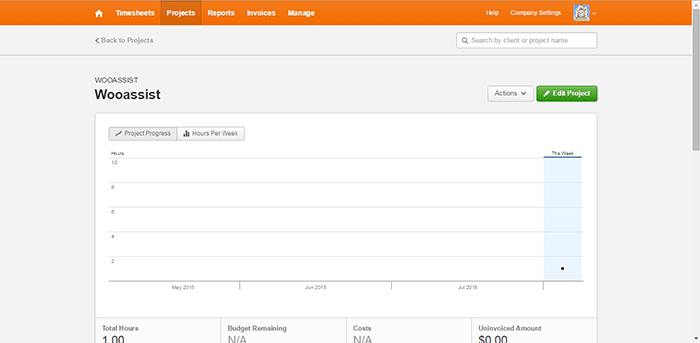
The interface of GetHarvest was one of the cleanest among the PM systems we reviewed. The top navigation bar shows the Timesheets, Projects, Reports, Invoices, and Manage links. These are core features for any PM system without all the fluff.

GetHarvest looked streamlined initially. Upon further assessment, we found that it is essentially a stripped-down Project Management system. It is great for accounting and the default setup is great in that it gives a bird’s eye view of the projects of the organization but it is limited to that. If users require subprojects and task-specific organization, they will need to integrate GetHarvest with other systems such as Asana.

Our conclusion for GetHarvest is that the interface is very clean and minimalistic but out-of-the-box. It simply lacked too many features compared to the other PM systems in this list.

4. Kanbanery

Kanbanery

  • Collaboration: 12/15
  • Organization: 13/15
  • Features: 10/15
  • Pricing: 2/5
  • Preference Bonus: 48/50
  • Rating: 85/100

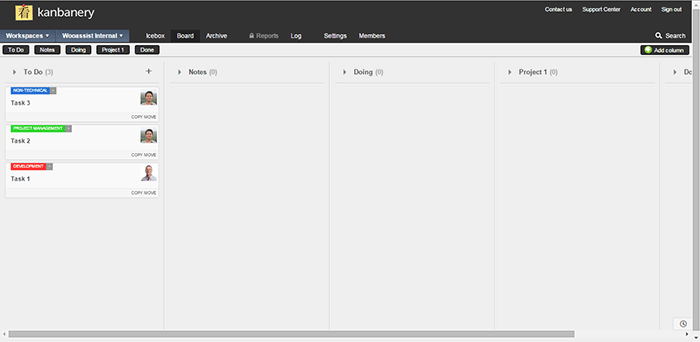
We were actually quite impressed with Kanbanery. Its interface is streamlined and it holds up to its promise of being a Visual Project Management Tool.

The Kanban boards are great and they are really customizable. The customization options are also tucked away quite nicely in that they won’t become cluttered for those that won’t use them. The updates to the boards are also synced in real-time and everyone on the team is informed when there are changes. Moving tasks to different boards is also possible so that’s another plus. It also has an activity stream that acts as a notification area.

One minor gripe is that the pages can be slow to load and changes can also take a while to be set. Although the bigger issue here is with timekeeping. There is no timer, no stopwatch, and no way to log the time at all.

The bottom line for Kanbanery is that it is a very good PM tool that strikes the right balance between a clean exterior and an abundance of settings under the hood, especially for its Kanban board. It also scores well in collaboration but the biggest flaw is the lack of any time-keeping function.

5. Dobambam

Dobambam

  • Collaboration: 9/15
  • Organization: 7/15
  • Features: 12/15
  • Pricing: 3/5
  • Preference Bonus: 46/50
  • Rating: 77/100

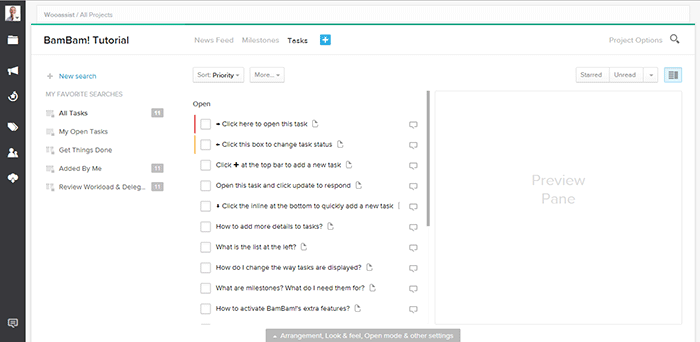
Our first impression of Dobambam was that it looked like a robust system and it felt similar to Asana.

The interface is very customizable. There are a lot of options on the view such as list view or card view. The tasks are very customizable too. It shows a lot of details but might be a bit excessive depending on your specific requirements. It does get confusing with all the available features. Some features you can add to the default functionalities are time-tracking and a wiki.

Our verdict for Dobambam is that it’s a full-featured task management system complete with time-keeping and detailed task views. However, this may also become a disadvantage depending on the organization as it is not as streamlined as other PM systems.

6. TargetProcess3

TargetProcess3

  • Collaboration: 10/15
  • Organization: 10/15
  • Features: 13/15
  • Pricing: 0/5
  • Preference Bonus: 46/50
  • Rating: 79/100

When we signed up for Target Process 3, the first screen that was shown was a choice of workflows: Scrum, Kanban, or a custom one. After choosing, we were presented with an introductory video and a mini-tutorial. These were very informative and did a good job of introducing TP3’s interface. It felt like the TargetProcess organization really cares for its users.

The aspect of the tool that left a strong impression was its overall power. It is extremely customizable and it’s like each user gets a chance to build their own PM system all inside TP3. Whether you prefer lists or a visual view, each user is given the chance to choose along with many other customization options. Another thing we liked is that the boards are all in-sync with each other. This means you can mark a task as in progress on one board and this change is applied across all boards.

The only problem is that with all the power, there’s a very steep learning curve. With all the bells and whistles, it can get confusing for a user. Some users may not even notice that a feature was available or not. In our case, TP3 was a bit over the top.

Our conclusion is that it is a very powerful task management system perfectly suited for software development teams. The customizability is its strongest point but it takes a while to master. This PM tool is best suited for advanced users.

 7. ThriveTeam

ThriveTeam

  • Collaboration: 6/15
  • Organization: 11/15
  • Features: 7/15
  • Pricing: 0/5
  • Preference Bonus: 46/50
  • Rating: 70/100

ThriveTeam is the definition of minimalism. Everything is clean and well laid out.

One of its unique functionalities is that there are no Save/Ok/Enter/Submit/etc. buttons. You will just need to write on the input fields and the changes are automatically saved. It could help with efficiency but the functionality is still awkward for people that are used to having the buttons. Sometimes after filling in a field nothing happens and you’re left guessing what to do next. On another note, its timekeeping system seems to be robust.

One thing is for sure, it is not built for task management and collaboration is limited. This system is similar to GetHarvest in some respect but it is also a slightly poorer version. As with GH, its functionalities are limited.

The bottom line for ThriveTeam is that its strength seems to be in Project Management and Accounting. The interface is clean due to a minimalistic design but the functionalities are a bit awkward and limited.

8. LeanKit

LeanKit

  • Collaboration: 12/15
  • Organization: 13/15
  • Features: 10/15
  • Pricing: 0/5
  • Preference Bonus: 48/50
  • Rating: 83/100

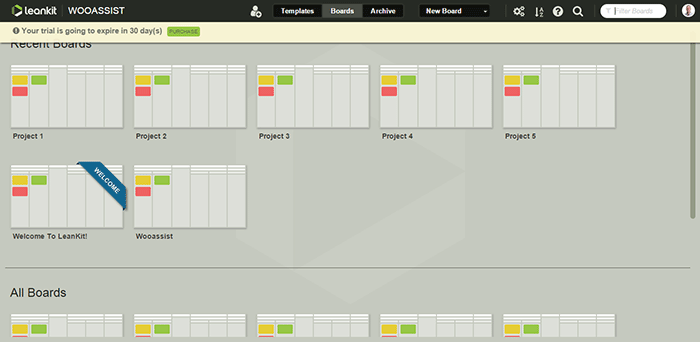
Our first impression of LeanKit is that it is very organized in the board/project level.

The graphical style is a step up from all the other text-type PM systems. Creating boards is easy and straightforward as you only need a title and description. Finding them in your list of boards is easy as well with the help of a search filter. The Kanban boards themselves are highly customizable. However, the board layout editor takes a bit of getting used to.

Another negative aspect is that the email notifications do not provide a preview of the task details. But overall, we were satisfied with its collaboration with real-time updates of changes on the boards. It seems like a complete package but as with Kanbanery, it lacks a time-keeping function which is a big blow to its potential.

Our conclusion for LeanKit is that it is a robust Kanban/Scrum-based project management system. The graphical style makes the setup very clean and organized and it scores great in collaboration and task management. It just lacks any sort of time-keeping functionality that ultimately brings its score down quite a bit.

9. Axosoft

Axosoft

  • Collaboration: 10/15
  • Organization: 13/15
  • Features: 13/15
  • Pricing: 0/5
  • Preference Bonus: 48/50
  • Rating: 84/100

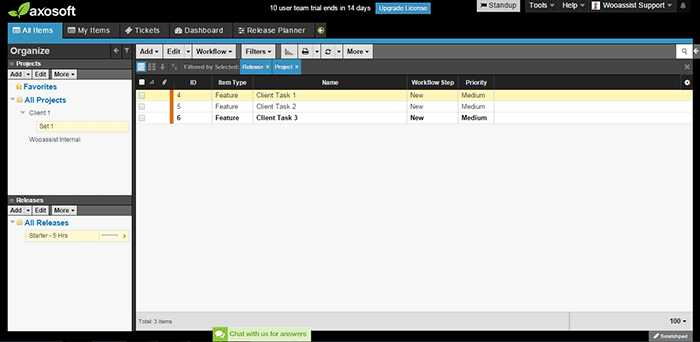
Our first impression of Axosoft is that it is professional, full-featured software (it should be when one considers the price).

Axosoft also offers its software to be installed locally. It is noticeable even in the browser application that the design is closer to a desktop application. Even though there are a lot of settings, tabs, lists, and other buttons, everything feels very organized and intuitive.

It also offers custom workflows which include Scrum and Kanban. We first thought that it would be better for large companies but it turns out that it can be used by any organization.

One weakness though is that there are no notifications. When a task is assigned, the assignee may not realize that a task has been assigned.

All in all, Axosoft seems to be a very powerful system. It really is an enterprise solution for project management. By default, it is geared more towards organizations that develop software but almost any type of organization can benefit from it. The design is organized and intuitive and overall, it is a well-built piece of software.

10. Hiveflux

Hiveflux

  • Collaboration: 9/15
  • Organization: 9/15
  • Features: 12/15
  • Pricing: 2/5
  • Preference Bonus: 46/50
  • Rating: 78/100

The first thing that came to mind when we accessed Hiveflux is that the design goes for a modern look reminiscent of Window’s Metro UI. It is sleek but we didn’t fall in love at first sight.

It is minimalistic but will take some getting used to. It does have good features, such as the built-in calendar that is perfect for synchronizing company events. It also has a powerful search feature, file uploads, and a time-keeping option for tasks. But collaboration between users felt a bit sluggish due to the lack of notifications even on email.

Our verdict for Hiveflux is that it is a sleek and minimalistic PM system with select but powerful features such as file uploads, time-keeping, and search. However, the minimalism also lends itself to a mediocre user experience. It should be a good choice for some teams but it’s not the one for us.

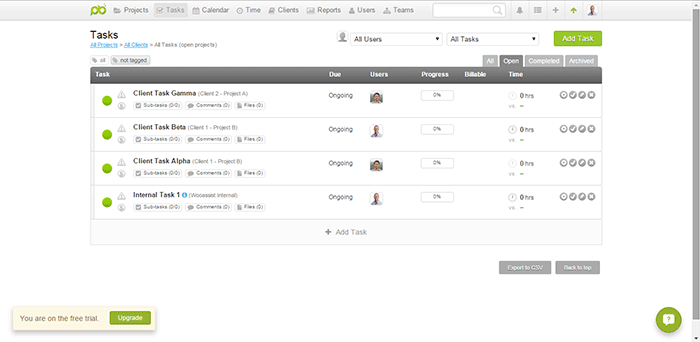
11. ProjectBubble

ProjectBubble

  • Collaboration: 12/15
  • Organization: 12/15
  • Features: 12/15
  • Pricing: 1/5
  • Preference Bonus: 50/50
  • Rating: 87/100

Nothing stood out at first. The design scheme and the setup looked normal. ProjectBubble does have the most important features such as a task management system and employee timesheets. It also has nifty bonus features such as its calendar and helpful reports.

What is special about it is that aside from tasks organized by project, projects are also organized by client. This makes it very useful when a client has multiple projects. Users can also be set up as teams so an entire team can work on a project without getting confused by another team’s projects.

The timesheets feature needs special mention as it is one of the most complete among all the other PM systems in this review.

All in all, ProjectBubble doesn’t sport dazzling game-changing features but it does what it does very well, and it does a lot of stuff. The only weakness would probably be aesthetic but that’s a very small factor. It is definitely not a visual system and it has no kanban. If it gets that feature then it would be perfect.

The bottom line for ProjectBubble is that instead of implementing new game-changing features, it sticks to the basics and does all the fundamental features really well. It scores very well in the most important areas (task management, collaboration, etc.) but its strongest feature is its “complete” timekeeping. The only minor flaw is that the setup is definitely not visual.

 Overall Rankings

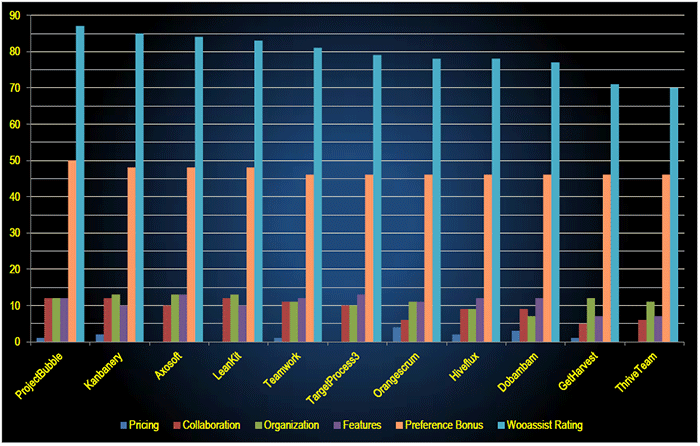
PM-Systems-Review_Overall-Rankings

  1. ProjectBubble (87/100)
  2. Kanbanery (85/10)
  3. Axosoft (84/100)
  4. LeanKit (83/100)
  5. Teamwork (81/100)
  6. TargetProcess3 (79/100)
  7. Orangescrum (78/100)
  8. Hiveflux (78/100)
  9. Dobambam (77/100)
  10. GetHarvest (71/100)
  11. ThriveTeam (70/100)

Conclusion

Reviewing all of the above affirmed the idea that there is no single best project management system. Each system has its strengths and weaknesses. And these may vary depending on the needs and preferences of the user. Make use of the free trial period to determine which tool is best suited to your organization. For us, we decided to go with a system making use of Asana and Kanbanflow. These tools take care of all our needs for now.

If you’re looking to set up your own project management system, this review should lead you in the right direction. Go ahead and make your own list and test each one.

What about you? What project management system do you use in your organization?

Filed Under: Theme and Plugin Reviews Tagged With: admin, best practices, project management, task management, Wooassist

How to Build an Ecommerce Roadmap in Under 3 Hours for a ROI of $1000’s

February 16, 2016 By John 1 Comment

Ecommerce-Roadmap-in-Under-3-Hours-for-a-ROI-of-$1000’s

Objective of the Blueprint

My goal for this post is to educate retailers, on exactly what they need to have as the foundation of their website, to build a strong digital strategy on successful online store on top of.

This is an action document. Every philosophy is followed by a list of action steps.

There is nothing new here, we have merely taken the best advice from top web design firms and condensed it into an actionable post. If you were to spend 20k plus at a prestigious web agency these are the sort of questions they would address in the pre-contract and kick-off phase of the project.

Invest Just 3 Hours for a ROI of $1000’s

time-invest-roiI recognize the opportunity cost of your time and I wholeheartedly believe in delegating as much as possible. But this 3 hours is not one of those times, the reality is it will take someone else much longer than you to do this because the information is already in your head. If you can allocate just a few hours of your time you will end up with a website brief worth 1000’s of dollars.

You will be able to take this brief to a number of web agencies and be a highly sought after client. The biggest challenge web agencies have is a client not providing them with the information they need to do their job. If you present this finished document to them they will love you and you will likely get a much better rate.

Some of these questions may feel repetitive or as though you have answered them 100 times before. Trust this process in the knowledge that all high end web design firms insist on this type of documentation, known as the “Discovery Phase”, and build $2000 plus into the project price to extract this information out of their clients.

If you have a business or marketing plan and some of these questions may have already been addressed, by all means use that as a reference. The critical thing is that you have all the information in your “Website Blueprint”.

Your Business Objectives

Whats-Your-StoryThe very start of the website blueprint is to identify why you have or want a website in the first place. Your website should be the core of your marketing, not a separate entity. As such, your website objectives need to be the core of your business objectives.

I’m going to throw you in the deep end and run a list of questions that in time you should be able to answer. Don’t worry, these questions are not designed to be answered right now. They are just meant to get your thinking going.

  • What specific reasons do you have for owning a website?
  • Are you not really sure, but see everyone else has one and don’t want to miss out?
  • What would life look like if you didn’t have a website?
  • What % of income is generated from the site?
  • What % of leads is generated from the site?
  • If improvements were made to your website what increase in these percentages could you expect?
  • What does a successful website look like to you?

Now list the top three business objectives of your website. Here are some examples.

  • Be found on Google.
  • Sell Products.
  • Actively generate leads.
  • Pre-qualify clients.
  • Show we are an authority in our particular niche/segment.
  • Resource to describe the services you offer.

Branding

BrandingYou probably already have some sort of visual branding such as a logo with a color scheme and brand or trading name. It will be a wise investment to spend 30 minutes looking at these and assessing if they still fit the business objectives you are trying to achieve.


Grab some of your marketing assets, e.g. print brochure, letter head, business cards, existing website, and have these in front of you while you go through the rest of this section.

Who are you? What do you do? Who do you do it for?

When a customer visits your website for the first time, you have only a few seconds to answer these questions. The words you use are only one way to address this, There are a lot more subtle cues such as the color, images and font type you use.

  • Who are you?
  • What do you do?
  • Who do you do it for?

Before answering the above questions I want to take you through an exercise.

Answering these questions below first will assist in uncovering the personality of your brand. They may feel a bit weird, but try and see it through.

  • If your website was a car, what make and model would it be?
  • If your website was a cookie, what sort of cookie would it be?
  • 10 – 20 Words that describe the business.

On a scale of 1-5, 5 being my business is most like this word, rank the following words.

Thats-my-Business

  • Feminine
  • Masculine
  • Young
  • Mature
  • Luxury
  • Economical
  • Modern
  • Classic
  • Playful
  • Serious
  • Loud
  • Quiet
  • Simple
  • Complex
  • Subtle
  • Obvious

Target Audience for the Website

If you could have 10 new customers today, but they all had to be a clone of one of your existing customers, who would the existing customer be?

The best way to find that existing client is to identify who is the most profitable, gives you the least amount of grief, is a joy to work with, refers you to new business, pays on time and who you would genuinely like to have more of.

Describe your ideal client. *Some things to consider.

  • Your-Ideal-CustomerInvolved in what industry/business
  • Title
  • Income bracket
  • Education level
  • Lifestyle
  • Social circle
  • Recreation activities
  • Type of car they drive

Now you can answer:

  • Who are you?
  • What do you do?
  • Who do you do it for?

Positioning

The main thing about positioning is you have to take a position. If you try and be all things to all people you will be nothing to everyone. Here are some different ways to position yourself.

  • Industry Segment.
  • Geographic. Position yourself as the local expert.
  • Price. Expensive or budget.
  • Process. Demonstrate your process is better and more organised.
  • Customer service.

The previous exercises will help. Now you know who you are and who you want to serve, it’s now time to present yourself exactly as you want to be seen.

  • What is your niche, specialty, or position in the market?
  • What makes you different from your competitors?
  • What are your strengths that can give you a competitive edge?
  • What is your Unique Selling Proposition (USP)?

Now you are ready to create a positioning statement. Fill in the blanks below:

A [Your Company] client is someone who wants […………………………….] and recognizes our specialized focus in […………………………].

Content Audit

You now need to do an audit of what assets you have that will affirm your position in the market. These include:

businessman-write-laptop

  • Images
  • Videos
  • Articles
  • Interviews
  • Tutorials
  • Whitepapers
  • Case Studies
  • Portfolios
  • Testimonials

If they are already on your existing website, that’s great. The questions then are. “What is there?” and “Are they being used as effectively as possible?”

Eventually every piece of content on your site will need to be reviewed and updated as necessary. But for the moment, just taking stock will do. At a glance you will be able to:

  • See what assets you have
  • Rate their quality
  • Rate their relevance to your position in the Market.
  • See what areas you will need to increase your investment

Call to Action

Now you have identified what assets you have and what you need. Go back to your list of three business objectives for your website and spend a minute to review them and see if they are still relevant now that you have refined your position in the market.

Now with these objectives in mind what are the top three actions you want users to take when they visit your site?customer_shopping-cart

Here are some ideas:

  • Buy a product
  • Phone you
  • Browse your services
  • Fill out the contact/quote request form
  • Look at your portfolio
  • Give you their email address
  • Like your Facebook page

These top three actions need to be the most prevalent items on the main pages of your site visitors are coming to. You can find out which pages on your site visitors are landing on from Google Analytics.

Fulfilling Website User Needs

Users come to your site with specific tasks in mind. You need to identify what these are and then present them with choices that fulfill their needs at the same time as meeting your own business objectives.

  • Why would people visit your website?
  • What tasks do they want to complete when they are at your website?

There are a number of core functionalities most web users expect when they go to a web site, these are:

  • Contact
  • Services/Products Offered
  • About Us
  • FAQ

Contact Page

contact-us_small-iconsYour contact page is the page your customer sees after they have made a significant mental shift in their decision making process. The moment they click on the contact page they become more invested in you and your brand.

The way you approach this will depend on the personality of your brand and the services you offer. Here are a few options.

Serious. Just the facts.

Let people know where they are on the page with a “Contact Us” heading. Followed by; address, phone number, email, and trading/office hours (if applicable).

A map, either an embedded map or just a link to your address on Google maps.

Simple Contact Form including fields for:

  • Name
  • Email
  • Phone
  • Postal Address
  • Inquiries

Prompt the User to Think About Their Purchase.

If the product/service you sell is more involved and has multiple options and additional purchasing criteria, you can encourage your visitors to invest time and energy into getting somewhat emotionally involved about their potential purchase with you. You can add fields like:

  • Type of Project
  • Budget – If you can’t profitably serve projects under a certain amount you can use this as a filtering process by having a drop down and not offering budgets under $X
  • Timeline

If the project requirements are more detailed than a few fields it will be worth considering a separate page titled “quotation request” or “project planner”.

Add Some Personality to the Contact Page.

Add a big background image. This could be a recent project, a photo of the team, or an aerial view of your office.

  • Some fun or cheeky text, e.g. For a good time call …………………
  • Encourage the client to contact you through social media channels.

Products/Services Offered

Your category page, or pages, acts as a quick link for users to see the details of what you do and just as importantly don’t do.

It is important that the home page, portfolio and about page only give snap shots of what you do, so that the user does not get overwhelmed with details, and instead can get a feel of your positioning in under the 3 seconds you have their attention for.

The category page is your opportunity to go into the detail that you have intentionally held back on the home page, portfolio and about pages. Visitors clicking deeper into your site that get to your category and products pages have requested this information, so will spend slightly more time looking at it.

Photographer-Camera_SLRThey still won’t spend as much time as you think, or want, so use of sub-headings and thumbnail images is critical. 90% of people won’t read the body copy. It needs to capture the viewers’ attention in a matter of seconds. This is achieved by allowing the photos to tell the story.

Don’t take the photos on your phone. You at least need a good quality camera and preferably someone that knows what they are doing with it. If you don’t have someone with these skills you should hire a professional photographer.

Is there anyone on the team with a good quality camera that has some training in photography?

FAQ

What are the 5-10 most common questions you get asked? Wouldn’t it be nice not to have to answer these as often? Wouldn’t it be nice for your clients not to have to ask? And what about the ones that are too shy to ask? Could you be missing out on a lead?

It’s a simple and easy process and most web users interested in you will appreciate it.

About Us Page

About-Us_BusinessmanUse this opportunity to go deeper into establishing your position in the market. Review the answers to your questions from the positioning exercise and back this position up here.
This page should be kept reasonably brief and it’s a good opportunity to link to other areas of your site like:

  • Products/Services
  • Case Studies
  • Team member profiles
  • Blog
  • Whitepapers
  • Testimonials

Viewable on All Devices

mobile-devices-tablet-androidIt is estimated that over half of website visitors will be viewing your site first from a mobile device. If your website is not “responsive” to all screen sizes you could be losing important leads before you even begin.

Responsive design is the practice that allows a website’s pages to reformat themselves depending on which device they are being displayed on. This ensures that whatever screen size the user is viewing your website on it will remain user-friendly.

There is no excuse now for small business sites not to be responsive.

Sales Funnel and Lead Capture

People buy from other people they know, like and trust. The object of lead capture is to get your leads into your know-like-trust funnel, and the best way to do that is by giving them incredibly valuable information over time via email. Yes, boring old email.

The Hero’s Journey

Time-for-change_DoorLuke Skywalker was living a simple life as a farmer on the planet Tatooine. He knew there was more opportunity out there in the universe and through a series of events he was called by a message from the princess. At first he resisted, but then his mentor Obi-Wan Kenobi showed up and guided him.

This story structure has been used over and over again. The Matrix is another good example, with Neo and his mentor Morpheus. You can use this story structure to develop your buyer’s journey.

Most of you reading this will have something to sell online in firms with less than a 10-person staff. You have some knowledge of digital marketing and can’t deny you need a strong web presence. There are a number of things you think might benefit your business like:

  • Increase in online sales
  • Blogging
  • Weekly Newsletters
  • Social Media

And generally engaging at a deeper level with your customers via an online strategy.

But how to execute all these moving parts into a cohesive system that does not take all your time or cost the earth is a bit of a quandary. You are resistant to throwing 20-30k to what you don’t understand well enough to monitor, control and be guaranteed a return on your investment.

How am I doing so far?

Wooassist offers a service that is affordable and may solve a lot of your challenges. Instead of selling you our core offer straight away we present this article that guides you through the fundamentals of an online store.

There is nothing here that sounds too farfetched; just some common sense, down to earth advice. And by the time you finish reading this article, you will be much more confident and prepared to outsource some assistance for your online store.

Now Your Buyers Journey

Where Are They Now?

Going back to your ideal client. Where are they now? What problems and challenges are they trying to solve?

Start with the End in Mind.

What do you want them to ultimately do? What do you want to ultimately sell them? Is it a commodity product, a project with X budget or an ongoing maintenance contract?

Bridge the Gap.

It’s your job to guide them from where they are now to where they can be knowledgeable enough in your process and confident enough in your expertise to pay for your service.

Identify the time line from interest to purchase for the niche you are in and then list the information your client needs over this time period to get them to know, like and trust you.

This doesn’t have to be complicated; a simple 2000 word report to get their email address followed up by 5-10 pre-written automated emails could increase your sales by 50%.

You can get into more of these details later. For the moment, all I want you to do is a quick brain storm and come up with 3 potential topics for an eBook or whitepaper.

Ongoing Correspondence

Email-Ongoing-CorrespondenceThe 5-10 pre-written automated emails are called email auto responders. They are not “Buy Now”. Like dating, we are asked in for “coffee” at some stage, but usually not the first date. And it’s always better to be asked than to ask.

The email auto responders add to the value of the report. They prompt your subscriber to think about working with your firm without blatantly stating it.

After 5-10 emails it might be appropriate to offer a gateway product. It’s much easier for a customer to give you $1000 if they have already given you $100 and feel like they got value out of it. And it’s much easier for them to sign a 10k contract if they have gotten value out of $1000.

A gateway product could be a preliminary design, a consultation or an educational product like a series of video tutorials.

What gateway product/s could you offer?

Search Engine Optimization (SEO)

SEO-Search.Engine.OptimizationGoogle’s business model is to return the most relevant search results so people keep using them to search online. Google is very good at correctly assessing the most relevant websites and have hundreds of criteria to determine their rankings.

There is no longer a magic bullet. The answer is to have a well-rounded website built on a best practice code base that offers the content your users are searching for in an interesting and engaging way.

 Search Terms

What terms are your ideal client using when searching for your products or service?

They may not be the same terms that you use.

Make a list of the 5-10 phrases that you think your ideal client will be searching and then play around with creating synonyms, abbreviations, plurals, past tense, present tense, verbs nouns, etc. From one word “Shoe” we can get: shoes, footwear, runners, joggers, walkers and probably many more.

You will not rank for shoe, so it’s keyword “phrases” that we are looking for that will attract your ideal client. E.g. Comfortable walking shoes. The words need to be compared to other variants like comfy trekking footwear.

For the moment we are just looking to brainstorm, down the track you can compare these terms and phrases in Google Trends and the Adwords keyword tool.

To go the extra mile you can do a short-term Adwords campaign for a few hundred dollars testing all these key phrases. The data you get from the Adwords campaign will tell you what are the most commonly searched terms and what terms generate the most engagement on your site. You can measure this by bounce rate, pages visited and time on site.

Help Google Find You

Magnifying-GlassYou can assist Google by basically labelling your content. Everything on your site can be labelled by what’s called meta data. Meta data is not visible to the user, but helps Google web crawlers identify what your site is about. All good website platforms like WordPress have this baked in to make it very easy to add “meta data” to any page, image or link on your site.
On its own, meta data won’t do much to get you in the rankings. It needs to be accompanied with relevant content that backs up what the meta data is saying your site is about. Your content needs to have your keywords in it, plus synonyms and related words. If you are genuinely writing about the topic you want to rank for then this should happen naturally.

Let Google Know you are Relevant and an Authority

Having links to your site from other relevant websites is still the number one way to rank highly in Google. It’s just a lot harder now to game the search results. A few years ago it was possible to create these links yourself and trick Google into thinking you were popular, but Google has made it its mission to recognize “un-natural” links and have been very successful in this. The best way moving forward is to create content so good and useful that people will link to it from their site and will share it with their friends on social media.

For more detailed information check these links.

http://moz.com/beginners-guide-to-seo

http://static.googleusercontent.com/media/www.google.com/en//webmasters/docs/search-engine-optimization-starter-guide.pdf

Noticed I linked to them because they are highly valuable and useful.

The irony is you will rank high in Google when you no longer need to. If you create the great content that Google wants you to, and people are sharing your content, then you will be getting a lot of traffic to your site without the help of Google.

Local Geographic Focus

A lot of companies operate within a geographic boundary. Google Places is a great free service that you can sign up for and will increase your chances of ranking on the first page in the Google Maps section, which is right up the top of the search results.

http://www.google.com/business/

You can also increase your chances of getting ranked in Google places for specific searches for your local area by writing articles that relate your service to the needs and uniqueness of your local area.

Social Media

Social media pages can become gateways to obtaining new clients and maintaining good relationships with your existing clients.

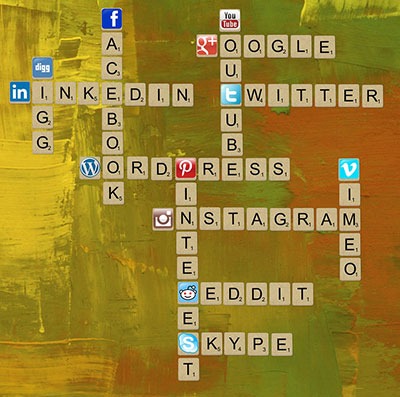
Scrabble_Social-MediaThe most important social networks to consider are:

  • Facebook
  • Twitter
  • LinkedIn
  • Google+

If your business relies heavily on visual media, then the following might also be considered:

  • Instagram
  • Youtube
  • Pinterest

How to Start

Once you have signed up for and created your social media profiles and pages, you can start getting followers or subscribers.

First off, try getting your own social media friends and connections, as well as your existing clients to like and follow your pages.

The next step is to create content that your targeted social media users will be interested in. These could be interesting photos, stories, articles and even recent info in your industry.

If you have created useful and interesting content, your followers will start sharing them with their own networks and this creates a chain reaction of sharing and get more people to see your content. If these people are interested in what your business offers, they will like your page and increase your social media presence.

It is also a good idea to provide links to your social media profiles directly on your website and email signatures.

Building Brand Awareness

Your social media profiles and pages give users an alternative glimpse from your website of what your company is all about. Give your profiles and pages an identity and real human voice that your ideal clients can relate to and who they would want to work with.

With that said, however, do not simply talk tirelessly about yourself. People use social media for connecting with others. They do not want to be simply marketed to.

Building Relationships

Web-tablet-social-mediaThe main purpose of creating a social media presence is to build and nurture relationships with your existing and previous customer base. Your social media profiles and pages can serve as a means for people to contact you and you can and should promptly reply to these inquiries as well.

If you keep your business at the forefront of your customers’ attention in social media, you will be the one they contact when they need to acquire your products and/or services once again.

Best Practices

  • Post content that is relevant to your industry like recent industry news.
  • Post content that interesting or informative to your audience like tips and tricks to home renovation.
  • Follow similar social media pages in your industry.
  • Be a part of the community. Interact, share others’ posts and respond to others’ interactions.
  • Make use of a human voice. Avoid sounding too corporate or salesy.
  • Observe social media etiquette. Your social media identity defines your brand identity.
  • Depending on your audience, post 1-4 short updates daily or 1-2 important announcements every week.

Social Media Tools

To save your time, there are multiple tools, free and paid, that can help automate your social media campaigns.

  • Hootsuite (https://hootsuite.com/)
  • Buffer (https://bufferapp.com/)

Conclusion

Start-Up_PlanningIf this is the first time you have read this, congratulations. Now go through it again and invest just three hours to build a really solid foundation for what is to become your website strategy.

If you have answered the questions, even with your best guesses, then congratulations. You have just developed a really solid platform for building a website strategy and put yourself miles ahead of your competition.

What to do now?

Collate your answers from this blueprint into an “Online Blueprint Document.” The time it takes you will pay dividends many times over.

Regardless of what you sell online there are 101 tasks you can outsource. Whether you choose a full service agency, do it yourself, or something in between like what wooassist.com offers, communication is the key and this doc will get your vision clearly stated and set the foundation for any web developer/designer relationship you have in the future.

Filed Under: How-To Articles Tagged With: best practices, conversion optimization, customer persona, LinkedIn, marketing strategy, social media, Twitter, Wooassist, WordPress, WordPress SEO

  • 1
  • 2
  • 3
  • …
  • 6
  • Next Page »
Let us support your online store so you can manage your business

Get started today

Get 2 Hours of FREE SUPPORT

We are so confident that you will love our services that we will give you your first 4 hours at a 50% discount

That’s 4 hours for only $75

BUY NOW

Free eBook

5 Things Every Online Store Can Fix On Their Website In The Next Week To Increase Sales

Quick Links

  • How it Works
  • Pricing
  • Blog
  • Contact
  • About Wooassist
  • My Account
  • Checkout
  • Privacy Policy
  • Cookie Policy
  • Terms and Conditions

Wooassist

Australia:
59 Luke St.
Hemmant QLD 4174

Philippines:
San Miguel St.
Poblacion, Iligan City 9200

Connect


Copyright © 2026 · Wooassist

Yours FREE!

5 Things Every Online Store Can Fix On Their Website In The Next Week To Increase Sales