Wooassist

Assistance for Your Woocommerce Store

  • How it Works
  • Pricing
  • Services
    • Site Maintenance
    • AI SEO and Content Marketing
  • Blog
    • How-To Articles
    • Code Snippets
    • SEO For E-Commerce
    • Theme and Plugin Reviews
    • Wooassist News
    • WordPress/WooCommerce News
    • Interviews
  • About Us
  • Contact
You are here: Home / Archives for Wooassist

How to Show Only Blog Excerpts in Storefront Theme

November 30, 2016 By John 7 Comments

How to Show Only Blog Excerpts in Storefront

Having a blog has a huge impact on e-commerce sites. A blog helps drive up to 55% more traffic. Blogs are all about providing relevant content to drive visitors to the site. Most blogs in the past prefer the full post display but recently, the snippet view or blog excerpts view has become quite popular. With blog excerpts view, the blog content is more scannable, with posts lined up and a Read More button available after each one. This lets the visitor browse through the posts and just click on the article he/she wants to read more about. In this article, we talk about how to show only blog excerpts in Storefront.

Why Show Only Blog Excerpts?

Increased Visibility

When you have a lot of posts on your blog, displaying only blog excerpts will make more of your content visible. Your latest post may not be the one that the reader is interested in. Having short excerpts of each post will show your visitors that you have a lot of content that they can indulge in.

Ease of Use for Visitors in Choosing Content that Interests Them

With a lot of posts in view, your visitors will be able to easily choose which article to read. This also helps bring more attention to your old posts so keeping those old posts updated with new information will also pay dividends. Readers can scan the blog page easily and may click not just one, but several articles that spark their interest.

Trims Down Lengthy Posts

If you create a lot of long blog posts, then having an excerpts view will make your blog more manageable. A 2000-word blog post is enough to cover a few screens which take attention away from other posts in a full-length view.

Reduced Page Load Times

Since you are only loading post snippets, your blog page will load much faster. Just imagine the number of images on a few of your blog posts and how much longer it would take to load all those.

Increased Page Views and Time on Site

With more content to browse through, showing only blog excerpts will increase your page views. And as visitors read more of your content, you also effectively increase user’s time on your site giving more opportunity for conversion.

Displaying Blog Excerpts in Storefront Theme Using a Plugin

You can switch to a blog excerpts display by editing the WordPress template files. However, you have to be familiar with the WordPress loop and edit the normal content with the excerpts function. An easier method is to use a plugin.
storefront-blog-excerpts-plugin

The Storefront Blog Excerpts plugin is made to work with Storefront theme by WooThemes. This also adds a section in the WordPress Customizer for you to modify how to display your blog content in excerpts view.

How to Use Storefront Blog Excerpts

  • In the plugins page, click “Add New”. Search for “Storefront Blog Excerpts” in the WordPress repository. Click on “Install” then activate the plugin.
  • After activation, the blog archive will be automatically replaced by the excerpts display.
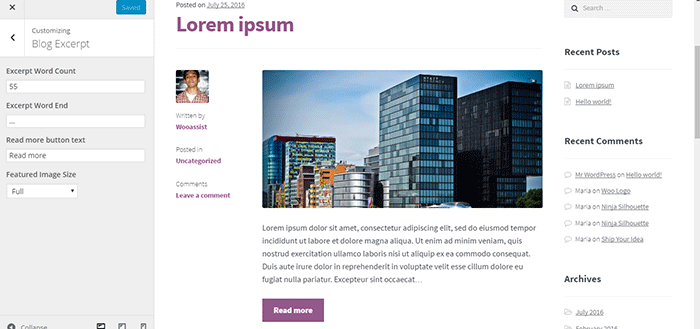
  • You can further customize how your blog archive is displayed. Go to the Appearance > Customizer and find the Blog Excerpts section.
  • You can modify the following properties in this section.
    • Excerpt word count – The default value is 55. The average word count of an academic paragraph is around 100 – 200. 55 is around half of it. Based on this, adjust how many words you want to display in each excerpt.
    • Excerpt word end – The default value is “…”. You can customize on the symbols that you can use to indicate a continuation. Other not so common symbols are “>”and “->”
    • Read more button text – The default value is “Read more”. This is the basic call-to-action. You can be more descriptive on the text and try “Go to Full Article”.
    • Featured image size – The default value is “Full”. Here, you can choose different sizes of feature images.
How to Show Only Blog Excerpts in Storefront

Have you tried displaying only blog excerpts on your WooCommerce store’s blog? If you haven’t, you should consider doing it as it might just get you more page views and increased time on site. If you have tried the plugin above, let us know your experience about it and your ideas on how it can be improved.

Filed Under: How-To Articles, Theme and Plugin Reviews Tagged With: best practices, how-to, navigation, plugins, Storefront, Wooassist

12 WooCommerce Tasks You Should Outsource

August 18, 2016 By John Leave a Comment

WooCommerce Tasks You Should OutsourceHow much value do you put on your time? As a business owner, this is a question that you should be asking yourself. Ideally, you should be working on your business rather than in your business. This entails hiring staff to handle the day-to-day operations and outsourcing works well for this purpose. Outsourcing is not easy but it can do good for your e-commerce business.

We’ll take a look at some of the benefits of outsourcing. We’ll also discuss the challenges that come with outsourcing, how you can deal with them, and the tasks that you can outsource.

Benefits of Outsourcing

You may opt for an in-house staff, but why is outsourcing a popular alternative? Here are a couple of reasons.

Getting a WooCommerce Expert to Do the Job

Outsourcing an experienced virtual assistant is made simpler. With some digging, you can find a WooCommerce expert who doesn’t charge exorbitant fees. With the right approach, you can even find someone who will stick with your company for years.

Reduced Costs

Hiring a virtual assistant will cost less than hiring a full-time in-house staff. You won’t need to invest in an office space for the outsourced worker. The outsourced worker will have his/her own computer with internet access. You may however need to provide some online tools and resources specific to your business.

You may have to offer a higher salary (still cheaper than your local rates) or offer some benefits if you want to keep a good virtual assistant. Do some research to find out what benefits are afforded to employees in certain countries. For example, virtual assistants from the Philippines will expect a 13th month bonus. Incentives for good performance are also good.

Challenges with Outsourcing

laptop-outsourcing

Outsourcing comes with its share of risks but these risks can be controlled.

The Need for Training

When you delegate work, the outcome may not always meet your expectations. To improve on this, make sure you create systems that the virtual assistant can follow. Provide ample time in training the outsourced worker.  Familiarize them with your business processes. This will help in paving the way for a long-term mutually beneficial relationship.

Confidentiality or Security Issues

You want to protect your business and that’s understandable so you might be hesitant in hiring someone from the other side of the world. When hiring a virtual assistant, you will most likely be sharing sensitive company information. On top of that, you will be providing access to your site and other accounts. Before hiring, you can do your research on the person that you are hiring. Check out social media profiles and other mentions on the web. Charles Haines also offers some interview tips for measuring integrity.

During the first few weeks, you can consider providing the outsourced worker limited access to your systems. When you are more comfortable, you can start providing more access.

WooCommerce Tasks You Should Outsource

As you work on growing your business, you may find that you spend a lot of your time on tasks that you can delegate. Outsourced WooCommerce tasks are web design and development, marketing, SEO and other back-office roles.

WooCommerce Tasks

1. Create and Edit Products – Creating and editing WooCommerce products can be time consuming. You need to set up products with different attributes and optimize and upload images for each one. Delegate this task so you can use your business expertise where it is needed.

2. Product Image Editing – Images need to be optimized before being used on your WooCommerce store lest you risk bloating your site and increasing page load times.

3. Improve Product Copy – Writing product descriptions that highlight your product benefits will help you sell. Copy writers and virtual assistant know this. Speak to your target market and convince them to make the purchase. This is one less task to worry about, as professional copy writers can do this for you.

Web Design and Development

programming-outsourcing4. Update Plugins and Core – It’s important to keep your WooCommerce store protected from the latest known vulnerabilities. A WooCommerce expert can help improve security and site performance by keeping everything updated.



5. Design Tweaks – Improving user experience (UX) is a major factor in the success of your online store. A professional web developer can recommend and apply design changes to your site to optimize UX.

6. Analytics and Webmaster Reports – When optimizing your site to increase conversion or improve user experience, analyzing and interpreting existing data is invaluable. A virtual assistant adept at Google Analytics can analyze and interpret your website data. This can help you make sound decisions.

7. Technical Solutions – Don’t get wrapped up in the technicalities of developing and maintaining your website. An experienced WooCommerce developer can optimize your design and add new functionality in a fraction of the time it takes you to do.

8. Secure Your Site – Apart from WordPress and plugins updates, a WooCommerce expert can help you set up automated backups and set up other security features.

9. Speed Optimization – Keeping your site running at its fastest will improve user experience and will reduce bounce rates. Notably, site speed is also an important ranking factor for SEO. A WooCommerce developer can help you optimize your site speed. This can include optimizing images, optimizing the HTCaccess file, setting up caching, minification, and DNS.

Marketing and SEO

10. Search Engine Optimization – Make it easier for potential customers to find your WooCommerce store by ranking high in organic search results. This is no small feat as SEO can take a lot of time. However, many virtual assistants make a living through SEO so finding an SEO expert is easy. A WooCommerce SEO expert can help optimize your product pages and blog posts to rank better in search engines.

11. Email Opt-in Solutions – To improve your site’s lead generation capabilities, a WooCommerce expert can help you add email opt-in forms in strategic locations on your site.

12. Landing Pages – An effective landing page should help you achieve your site’s goals. A WooCommerce expert can help you optimize your landing pages for this purpose.

Final Notes

Outsourcing a WooCommerce expert can help you save your time so you can focus on other things that need your attention. You now have a better idea of what tasks you can outsource to save your time. A WooCommerce expert can do tasks in a fraction of the time that it would take you. While outsourcing can be a challenge, the tips above should help ease the process.

Do you have any questions? Have you tried outsourcing? Do you have any tips that you can share? Let us know in the comments.

Filed Under: How-To Articles Tagged With: admin, best practices, e-commerce, how-to, marketing strategy, outsourcing, website maintenance, Wooassist, WooCommerce

The Wooassist Blueprint: What Goes on in the Wooassist Backend

July 22, 2016 By John Leave a Comment

We’ve created our fair share of WordPress sites and provided support for other WooCommerce store owners since 2014. At the same time, we maintain and improve Wooassist.com. But what goes on in the Wooassist backend? Here we’ll provide a sneak peek of what goes on behind the scenes.

Publishing Platform

wordpress-logo

WordPress is one of the best Content Management System (CMS) with over 60 million websites powered, Woasssist included. It is free and open-source, with thousands of available plugins and themes to change and extend the look and functionality of your site.

Hosting Provider

WPEngine-logo-white

WPEngine provides one of the best WordPress hosting services on the web. Our hosting plan with WPEngine comes with caching, backup features and Content Delivery Network (CDN) provided by their partner MaxCDN. They use Ever Cache for speed and massive scalability. They also have one of the best support compared to other hosting providers.

WordPress Themes

Genesis Framework

logo-Genesis-Framework

Genesis Framework is a powerful foundation for building websites in WordPress. It is compatible with WooCommerce and anything can be customized around its core code using child themes. It is also SEO optimized.

 Parallax Pro

logo-Parallax-Pro-white

We use Parallax Pro theme on top of the Genesis framework. Notice how the Wooassist homepage content has a vertical design for easy visual eye movement and flow. As you scroll down the page, you will see that the content is divided into sections. The theme is also mobile responsive.

Installed Plugins

It is best practice to deactivate and delete any unused plugins on your site to minimize site bloat. Just stick to what features you need and the plugin that offers just that.

WooCommerce

WooCommerce

Since Wooassist provides WooCommerce support, it makes sense that we use WooCommerce.

Built with developers in mind, WooCommerce is extendable, adaptable and open source. It works with the core features of WordPress and is one of the most widely used ecommerce plugins. It’s free and allows for maximum flexibility and customization. You can even expand its features with a growing collection of more than 300 extensions.

WooCommerce Customizer

WooCommerce-Customizer

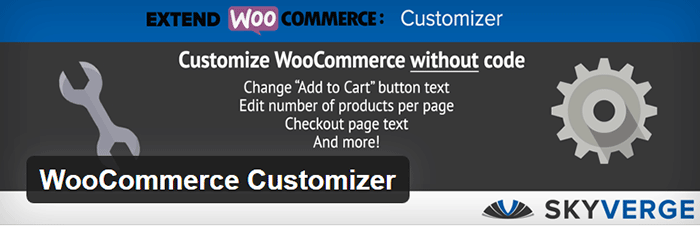
WooCommerce Customizer is a free plugin that adds an extra settings page for WooCommerce. This helps you make quick changes which otherwise would require writing some custom PHP functions. Basically, you can optimize the look of your WooCommerce store for optimum conversion, without writing any code.

Genesis Connect for WooCommerce

Genesis-Connect-for-WooCommerce

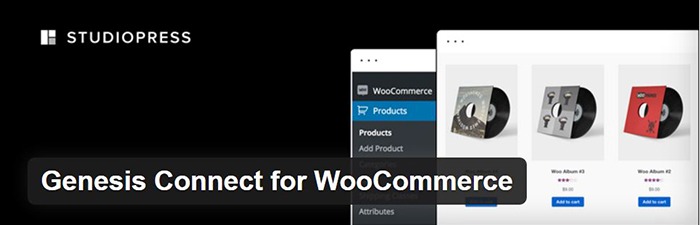
When WooCommerce is installed on a site using the Genesis platform, you may find some product pages do not display properly. Genesis Connect for WooCommerce fixes this by replacing WooCommerce’s built-in shop templates with its own Genesis-ready versions. These templates are single-product.php, archive-product.php and taxonomy.php.

WooCommerce Google Analytics Integration

WooCommerce-Google-Analytics-Integration

WooThemes created WooCommerce Google Analytics Integration plugin and is a must to integrate analytics in WooCommerce versions 2.1 and up. This plugin inserts tracking codes into your store pages.

WP-Optimize

WP-Optimize

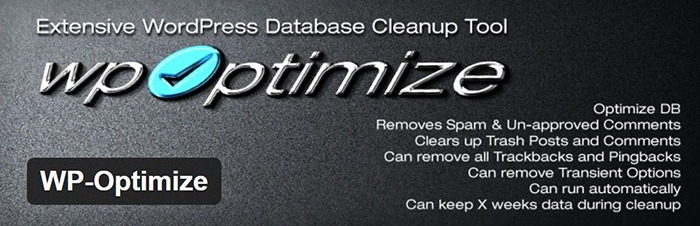
We use WP-Optimize to clean and keep our database down to a reasonable size. The plugin helps clean up your WordPress database by removing old revisions of posts and stale/trashed comments. It also allows for optimization of your WordPress core tables.

WordPress Related Posts

WordPress-Related-Posts

WordPress Related Posts automatically adds thumbnails at the footer of your content. This helps readers find other relevant posts in our blog for further reading.

WooCommerce Paypal Pro

WooCommerce-PayPal-Pro

We use WooCommerce Paypal Pro as our payment gateway. Our clients can pay with their credits cards. A Paypal account is not necessary.

WooCommerce Checkout Manager

WooCommerce-Checkout-Manager

We use WooCommerce Checkout Manager to customize the fields on our checkout page. This allows for faster and easier checkout.

Akismet

Akismet

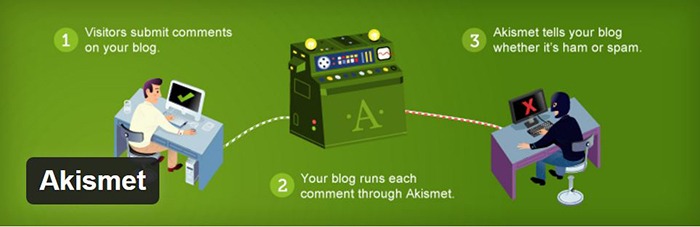
We trust Akismet to safeguard our site against spam comments. This product by Automattic comes bundled with WordPress installations. You just need to sign up at their website and get your API key to activate it. Akismet automatically checks incoming comments and moves ‘spam-like’ comments to the Spam folder.

PopupAlly

PopupAlly

We use PopupAlly to show time-delayed and exit intent popups for our free e-book offer and newsletter subscription, respectively. The plugin makes it easy to customize popup forms even for novice users.

Yoast SEO

Yoast-SEO

We use Yoast SEO to optimize our blog post and pages for SEO. It is a powerful plugin that helps to give any site an SEO boost. This plugin can also help optimize product pages and product categories in WooCommerce.

Visual Form Builder

Visual-Form-Builder

We use Visual Form Builder to create forms such as our contact form and custom package form. Visual Form Builder is easy to set up and use even for novice users.

Responsive Pricing Table

Responsive-Pricing-Table

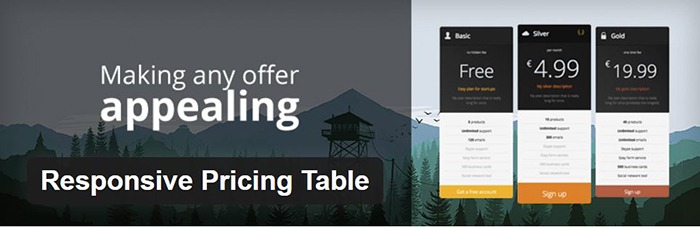
We use Responsive Pricing Table plugin to add a ‘Pricing Tables’ tab in the WordPress admin panel . This allows for creating pricing tables without coding. You can add features of up to 5 plans and display the price table anywhere with a shortcode.

Redirection

Redirection

Redirection is a free plugin that makes managing our 301 redirects easier. It also helps us keep tabs on any 404 errors. We use this mainly when changing slugs of blogs post when optimizing for SEO.

Filed Under: Theme and Plugin Reviews, Wooassist News Tagged With: Genesis, navigation, optimizations, plugins, PopupAlly, redirection, website development, Wooassist, WooCommerce, WooCommerce products, woothemes, WordPress, WPengine, Yoast

“Getting Things Done”: How One Book Changed Our Workflow and Increased Productivity

February 26, 2016 By John Leave a Comment

thinking_business-man_laptop
Is your workflow a mess? Mine used to be until I read that one book. Soon after, I was getting more accomplished with much less effort and stress. David Allen’s Getting Things Done: The Art of Stress Free Productivity was the secret.

For every hire thereafter, part of their on-boarding became reading this book and implementing it into their workflow. Here’s an insight on what some of the team members do to manage their workflow.

Nick J – Director

Getting Things Done has been a game changer for my life. I took the instructions literally and dedicated a weekend going through old files and boxes of “stuff” so I could start with a clean slate. I even bought a label machine as instructed (which I now rarely use).

inbox-outbox_filesOnce I had my filing and boxes of “someday maybe” sorted I chose Evernote as my “In” box and everything I need to remember gets added into a notebook called “inbox” as a reminder so it goes to the top. This is very easy to do from my phone or laptop. The following morning, I catalogue all the previous day’s reminders into where they need to go, usually other Evernote notebooks.

This gives me a good idea of what I need to do for my day and catalogues what needs to be done down the track in their respective “buckets”. My mind is a lot freer because I don’t have to worry about remembering 101 things as they are all written down and catalogued. The only downside is now I have become really dependent on this system I don’t remember anything unless it is recorded in my “In bucket”. Oh well, the price of a free mind.

Junix – Lead Developer

After reading “Getting Things Done” by David Allen, I have realized how unorganized I was in handling my tasks. I have learned the 5 stages of managing workflow, which enables me to not forget an important task, which I tend to do sometimes. In Wooassist, most of the tasks assigned to me have an email notification from the project management tool. This allows me to collect the inputs I need to do for a day and coming days. But even so with these emails, I’m still forgetting things as I’m not properly jotting them down to a different platform. I also tend to preview emails, so that I can know the gist of all the things I need to do in a day, but then forget that I had to do that task because it’s not bolded anymore in my inbox. I also find it tedious to “copy and paste” information that is already there in the email.

thumbs-up_smileyI did my research and found a tool called Sortd which was still on a beta test and was invitation based only. Fortunately, I got an invitation link and was able to start using the tool. I love it as I am able to organize my tasks within my email. Even if I preview an email, it will still be bolded in my task list until I mark it completed. Within Gmail, I am now able to separate other emails from important tasks, and can also divide them into different categories easily.

Sortd allows me to create different columns, just like Kanbanflow and Trello. Currently, I have four columns in use: “Priority tasks”, “Today Tasks”, “Delegated Tasks”, and “Scheduled Tasks” respectively. With this four columns, processing tasks have been easier and I’m now doing most of the tasks assigned to me without forgetting anything.

For processing the tasks, I realized that the guide told by the book applies to me. It was stated there that if a task takes more than 2 minutes for me to complete it, I need to delegate it, but I believe for myself and kind of work I do, time is not a perfect barometer for it. Currently I check if the tasks can be delegated based on its difficulty. I like to do tasks that are difficult to do, so the tasks that are easy and moderate are the tasks that I delegate.

I am also making it a habit now to check the tasks that I have marked as complete and also my emails on a weekly basis, just to make sure that I have properly done them and that I haven’t missed a task that needs to be done.

John – Project Manager

How do I get things done? For myself, it stems from having low energy levels that I have designed the systems in my life to make them more efficient. I live and breathe efficiency. I hate books that bury their core actionable concepts in a layer of fluff. Whenever possible, I watch movies and TV shows on average at 1.5X playback speed. And I talk much, much less than normal people because I prefer to be short and concise with my words.

be-smartWithout context, that would mean I am very productive. But in actuality, it’s only to preserve my energy levels for the tasks that matter. In the past, I have done this subconsciously. But upon reading Getting Things Done by David Allen, I have started to take a conscious approach to productivity. I believe it all boils down to self-optimization.


As for myself, the concepts that I believe are most important to the way I get things done are:

  1. Creating or finding a task management system that fits my own needs and personality. The usual digital productivity apps are Asana, Evernote and other similar applications. We do make use of these as all-around solutions for Wooassist. But for the tasks specific to my own role, I am using a custom spreadsheet and Kanbanflow. I’ve tailor-made the spreadsheet to record everything I need to keep track of. And we chose Kanbanflow simply because we have found that it fits our needs best.
  2. Rid yourself of worry and think in terms of actionable steps (what’s the next step, what you can do about it, etc.
    • The usual culprit of being underproductive and burning out is worry. It is a nagging feeling that keeps draining your mental capacity even when you’re not at work. For this, I put my trust on my task management system. And let it serve as my memory so that I don’t have to worry about an unfinished task when I’m not at work.
    • And when mistakes happen, customer-facing roles usually have it bad. That is because clients lash out at the people on the frontlines. I can’t stop mistakes from happening but I do not worry about it too much. Instead, I think of the concrete steps that I can take to create a suitable solution or course of action.
    • Once you are overcome with worry, you become unproductive and stressed out. If fear is the mind-killer, worry is the mind-stopper.
  3. Keep optimizing yourself. This for me is the most important thing that people fail to do. There are tons of productivity techniques out there. E.g. time-blocking, the Pomodoro technique or establishing a routine. For myself, I am constantly A/B testing myself to figure out what works and what doesn’t. There’s no catch-all method, everyone is different and we’ve got to figure out what works for us ourselves.

Rob – Project Manager

Three years ago, Nick recommended reading the book Getting Things Done: The Art of Stress Free Productivity by David Allen. I wasn’t a big book reader so instead I listened to the audiobook.

Over the past three years, I tried to follow the tips in the book. Some stuff didn’t stick but some things I keep doing up until now.

sticky-notes

I start my work day checking emails. I have email alerts set up for Asana, Hipchat and Kanbanflow so everything goes to my email. For any task that can be done around 2 minutes I do it immediately. I also keep a log of all current tasks that I have. I use Sticky Notes for this.

I tried using Evernote before and I still use it from time to time for saving stuff that I might need access to when I’m not on PC. I’m rarely on another machine though so it doesn’t get much use. It has proven really useful the few times I had problems with my PC and had to log in at a net café. I’m not saying Evernote is bad. It’s actually really good but I just like Sticky Notes because it’s more lightweight and it just sits there on the background.

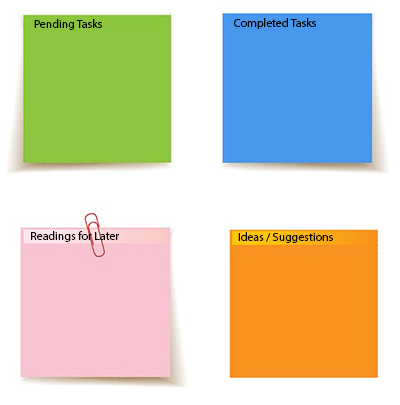
I keep a note of all my pending tasks called “Tasks” and this helps me get prepped for work. From this list, I pick out what I need to do for the day. Every task I complete I move to another note called “Completed Tasks”. This other note helps me prepare my report before I end of shift for the day.

While working, if I stumble upon any useful articles that I want to read later on either for leisure or for work, I put them on a note called “Readings for Later”. And if I come up with good ideas to suggest, I’ll note them down in another note called “Ideas/Suggestions”.

Oh and another thing. I have one note which just mentions the Wooassist mantra:

company-mantra_screenshot

 Joanne – Site Maintenance and Admin

Before reading “Getting Things Done” I found my work life in utter chaos, missed deadlines, increased stress levels, not being able to do the things that I want to do, and not having enough time for my family as much as I want to. Being a mom, a wife, a daughter and an employee is not that easy for me, especially because I work from home.

to-do-List_hand

I’ve tried numerous methods of organizing my daily routines, some actually work for some time, but once my schedule is disrupted for some reason, I crumble. I rush through things eager to do as much as I can in my limited time, playing catch up and formulating new ways to spend half an hour on a task that requires a full hour. And the result, well let’s just say, is less than stellar.

After reading Getting Things Done, I realized that useless cramming makes you unproductive and inefficient. I also recognized that my subconscious effort to juggle all my responsibilities, like doing the laundry or planning a weekend getaway for the kids can affect my work. With this in mind, I came up with a system to make sure that I exert effort on things where I can make a difference and not worry about the things that I can do nothing about.

For work, I have synced my email with Kanbanflow and Asana Board so that all of tasks and reminders will directly go to my email. I also formulated a morning routine that basically consists of morning meditation and coffee. I usually wake up around 4 am just to feel the sense of calmness. I used to think that I’m more productive working late hours but after reading Getting Things Done and evaluating myself, I realized that waking up around 8 or 9, when everyone is busy, affects me and I sort of get frantic and flustered too.

To manage my personal life, finances, and other things, I use a notebook. There I list down my goals for every month, track down my finances, and basically list down other things like groceries, things my son needs for school and so much more. Most of the task I list down there gets delegated though but it’s easier to keep track of things.

Each and every one of us is different and there’s no step by step solution for getting things done. You need to know what works for you and evaluate your values and priorities. If you haven’t read the book yet, I strongly suggest that you do. It can make your life easier.

The Secret to Stress-Free Productivity

relax_no-stress_300There is no concrete formula that would work for everyone. It is up to you to discover what will work best for you. The book Getting Things Done: The Art of Stress Free Productivity by David Allen did wonders for the Wooassist team. Each team member adapted his/her own way of dealing with the workflow based on the book and it worked wonders. We hope this post inspires you to set up your own system and to start being efficient.


If you can get the book, we highly recommend reading it. And when you’re done reading it and you’ve adapted your own stress-free workflow, we hope you can come back to this post, hit the comments and tell us something about it.

Filed Under: Wooassist News Tagged With: admin, best practices, task management, Wooassist

Technical Solutions for Your Online Store

January 29, 2015 By John 2 Comments

SnapCrab_2015-06-26_14-58-43_No-0000

Your online store needs constant management, which includes the technical details. When you’re suddenly faced with a technical problem, do you have the capacity to resolve it? If your website becomes the target of hacking, then you need to take action.

Awareness of the Problem

The first step in dealing with any technical problem is being aware of it. You need to keep in mind that it has the potential to hurt you. For instance, a simple issue with your WooCommerce cart would take a big hit on your business profit.

Let’s say that a plugin stops working. Users will be left wondering or confused, and you’re left with emails from disgruntled customers. Time is of the essence. The longer the issue persists, the more revenue you lose.Be aware when the problem hits, so you can act on it right away.

Finding the Right Solution

 After the problem has been identified, seek help from the right team. It may be from the third party who provided your plugins and themes, or your web hosting company. They should be able to provide site backups, security support, plugin upgrades, etc.

SnapCrab_2015-06-26_15-00-03_No-0000

Securing knowledge for yourself can make a difference. You may check out these resources from WooCommerce. These provide details on the most common plugin problems and how to solve them. It will help you boost your know-how on important technical solutions.

When it comes to managing your online store, it’s best to leave the technical aspects in the hands of experts. At Wooassist, we can troubleshoot your WooCommerce issues in a more efficient manner.

Filed Under: How-To Articles Tagged With: how-to, outsourcing, security, Wooassist

  • « Previous Page
  • 1
  • …
  • 3
  • 4
  • 5
  • 6
  • Next Page »
Let us support your online store so you can manage your business

Get started today

Get 2 Hours of FREE SUPPORT

We are so confident that you will love our services that we will give you your first 4 hours at a 50% discount

That’s 4 hours for only $75

BUY NOW

Free eBook

5 Things Every Online Store Can Fix On Their Website In The Next Week To Increase Sales

Quick Links

  • How it Works
  • Pricing
  • Blog
  • Contact
  • About Wooassist
  • My Account
  • Checkout
  • Privacy Policy
  • Cookie Policy
  • Terms and Conditions

Wooassist

Australia:
59 Luke St.
Hemmant QLD 4174

Philippines:
San Miguel St.
Poblacion, Iligan City 9200

Connect


Copyright © 2026 · Wooassist

Yours FREE!

5 Things Every Online Store Can Fix On Their Website In The Next Week To Increase Sales